


How can I play Restaurant City online?
Press “Create my restaurant”, sign up with a username and a password and follow the tutorial. The game opens in the browser, with nothing to install.
Restaurant City is a management game: you customise your chef, hire a cook and a waiter, pick the menu and serve your customers while decorating your place and visiting your neighbours. It runs in the browser, with nothing to install and no Flash, and your restaurant is saved to your account.

Restaurant City is a restaurant management game: you customise your chef, hire staff, pick the menu and serve your customers, and with the coins you earn you decorate your place and level up. It is a classic Facebook game that you can play again here in the browser, without needing Facebook.
Restaurant City is a work by Playfish and EA. This website is a browser preservation edition with its own server and no commercial purpose; it is not the official site.
Press “Create my restaurant”, pick a username, a password and whether your character is male or female. The email is optional and is used to recover your password. It is free.
The game teaches you the basics: you customise your chef, learn to put each employee in their job and hire your first helper.
With the coins and points you earn serving dishes you buy tables and decoration, learn new recipes and level up.
Five steps, in the order the game teaches them to you.
Open the recipe menu and pick the dishes you serve: starter, main, dessert or drink. Each recipe uses ingredients from your pantry.
In the Job Center you hire cooks and waiters. Without a cook and a waiter the restaurant stays closed.
Customers arrive, sit down, order, eat and pay. Every dish you serve earns you coins and gourmet points.
With your coins you buy tables, chairs, stoves and decorations. The more room and tables, the more customers at once.
On the friends street you see other players' restaurants and walk in to visit them; every visit gives you a reward.
You level up with the gourmet points you earn serving dishes, buying items and learning recipes. There are 65 levels: each one brings more employees, more dishes on the menu and a bigger restaurant. These are some of the steps:
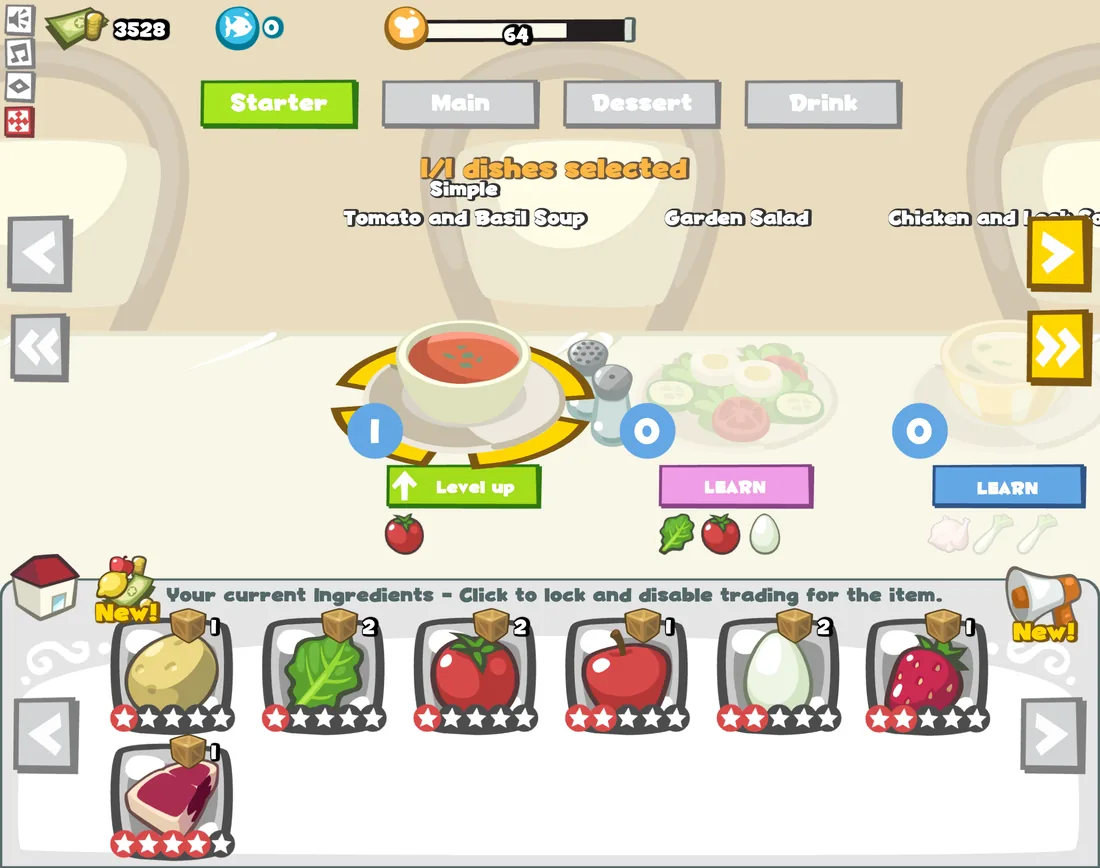
This is the game as it looks: you pick dishes by type (starter, main, dessert or drink) and see the ingredients in your pantry, with their rarity in stars.
The server checks what you see: prices, rewards and timings are the same for every player.
It is an independent server with its own accounts. The server decides prices, rewards and timings and saves your progress, so your restaurant is the same in any browser.
If something fails or you want to donate, open a ticket from Support: the game team reads it. We will never ask for your password.
Press “Create my restaurant”, sign up with a username and a password and follow the tutorial. The game opens in the browser, with nothing to install.
Yes, playing is free. You can help keep the server running with a donation, which is optional and handled by opening a ticket in Support.
Yes. This edition uses neither Flash nor any plugin: it runs in the browser with current web technology.
Yes: it is an independent server with its own accounts. Restaurant City is a work by Playfish and EA and this is not the official site.
The website adapts to phones, but the game is designed for a computer screen and on a phone it looks small.
No. An up-to-date browser and an internet connection are enough.
The guide lists the game's recipes, ingredients and level table. Recent changes are on the versions page.
No. The original ran on Facebook, but this edition works with an account of this site. Facebook is a trademark of Meta Platforms and this site is not affiliated with Facebook or Meta.
Pages with real game data to get your restaurant ready: recipes, ingredients, levels and tips.
Creating the account takes a minute; you discover the rest as you go.